Start with a panel
Upload your comic artwork or try the illustrated adventure panel.
Opening your canvas…
FOR PANELS WITH SOMETHING TO SAY.
Use this comic bubble generator to add dialogue balloons, thought clouds and narration to your comic or cartoon artwork. Edit each line, arrange the conversation and point every tail toward its speaker.
FROM PICTURE TO PUNCHLINE
Start with the sample. Make it yours.
Upload your comic artwork or try the illustrated adventure panel.
Use dialogue, thought and caption shapes. Drag their tails to the right speaker.
Leave room around the text, then export your panel as an image or animate the dialogue in a GIF.
Photos up to 25 MB. Images wider or taller than 2400 px are resized on import. A larger export keeps lettering sharp, but cannot restore detail missing from your photo.
A STARTING POINT WITH A PURPOSE
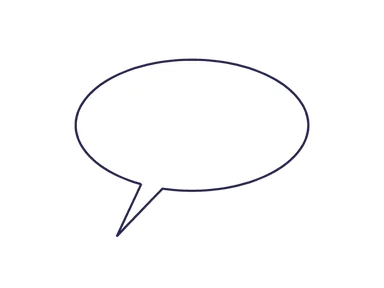
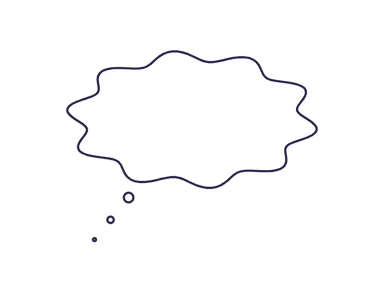
The comic layout starts with a narration box, a dialogue balloon and a thought cloud. Edit them separately, point the tails, and upload your own panel when you’re ready.
Drafts are saved separately for each tool on this device. Moving between tools keeps their workspaces independent.
Balloon styles
A comic bubble generator should help readers follow the story. Start with the meaning of the line, then choose the shape: spoken dialogue, an internal thought, a shout or narration. The comic preset includes separate objects for dialogue, thought and caption text.
Use a smooth balloon for “Are we there yet?”, a thought cloud for “I should have packed a snack,” and a caption box for “Ten minutes later.” A spiky burst can emphasize “Watch out!” without turning every line into a shout.
These are practical starting points, not rules for every artist. The illustrated guide to comic bubble shapes explains the differences.
Two speakers
Upload your existing comic panel or cartoon image, then place the first balloon in the space above its speaker. In a left-to-right English comic, position the reply farther right or lower so the eye has a clear path.
Leave room for the artwork to tell its part. If the panel is overwhelmed by dialogue, shorten the exchange before shrinking all the lettering. For a whole page, the comic panel layout guide shows how panel groups and dialogue space affect reading order.
Readable lettering
Keep an even-looking cushion around the words. A rounded balloon narrows at the top and bottom, so balanced lines often fit better than one long line followed by a single word.
Resize the shape, adjust the font and alignment, and add intentional line breaks in Bubble text. For more crowded-versus-spaced examples, use the comic lettering guide.
Ready for
an adventure?
Panel or overlay
Keep your artwork on the canvas to export the finished panel as PNG, JPG or WebP. To reuse just the lettering and balloons elsewhere, remove the artwork and export PNG with Transparent background enabled.
Need a comic text box or speech balloon template without opening the editor? The speech bubble PNG and clipart library includes round dialogue, shout bursts and a rectangle caption. For a cloud with a circle trail, use the thought bubble PNG collection.
This tool adds lettering to artwork you provide. It does not draw characters, generate panels or build a full comic strip for you.
A FEW GOOD QUESTIONS
No. This tool adds and edits dialogue balloons, thought clouds and captions on your existing panel artwork. It does not generate characters or panels.
Yes. Add separate bubbles, point each tail at its speaker, and arrange them in reading order. You can duplicate, resize and reorder bubbles.